


Thinking about security camera installation for your home? You’re not alone. More homeowners are realising that cameras aren’t just about catching something bad on video. They’re about peace of mind. Knowing what’s happening around your home, even when you’re not there.
The good news is this. Installing security cameras isn’t as complicated as it sounds. With a bit of planning and the right approach, you can set up a system that actually works instead of one that just looks good on the wall. Let’s break it down step by step, minus the technical headache.
Decide What You Want to Protect
Before you drill a single hole, pause and think. Ask yourself:
- Which areas matter most?
- Where could someone realistically enter?
- Do you want indoor monitoring, outdoor coverage, or both?
Most homes start with entry points: front door, back door, side gates, and ground-floor windows. Indoors, living rooms and hallways are common choices. Good security camera installation starts with intention, not equipment.
Choose the Right Type of Cameras
Not all cameras do the same job, and choosing the wrong type can leave gaps in coverage.
IP Cameras
IP security cameras connect to your home network and send footage digitally. If you want modern, flexible security, IP cameras are usually the best place to start. Why people like them:
- High-quality video
- Easy storage options
- Scalable for future upgrades
- Remote viewing on phone apps
Dome Cameras
Dome surveillance cameras are compact and discreet. You’ve probably seen them in offices and shops, but they work great in homes too. Because the lens direction isn’t obvious, they’re also more tamper-resistant. They’re ideal for:
- Indoor use
- Blending into ceilings
- Wide-angle coverage
- Covered outdoor areas
Plan Camera Placement Carefully
This is where most people go wrong. Installing a camera too high, too low, or facing the wrong direction can make it useless. You want clear views, not just wide views. Placement tips:
- Mount outdoor cameras 8–10 feet high
- Angle cameras are slightly downward
- Avoid pointing directly at bright lights
- Don’t block views with trees or grills
For dome security cameras that are placed indoors, ceiling corners often give the best coverage without feeling intrusive.
Check Lighting Conditions
Cameras love light. Poor lighting leads to grainy footage, even with night vision. Before finalising your security camera installation:
- Check how the area looks at night
- Avoid direct glare from streetlights
- Make sure there’s some ambient light
If your camera supports infrared or low-light recording, even better. But lighting still matters more than most people realise.
Decide on Wired vs Wireless Setup
Both options work. The choice depends on your home and patience level.
Wired systems
- More stable connection
- Better for permanent setups
- Require professional-looking cable management
Wireless systems
- Cleaner look
- Easier to install
- Depend on Wi-Fi strength
For IP cameras, a strong and stable internet connection is key. If your Wi-Fi struggles in certain areas, consider extenders before installing cameras there.
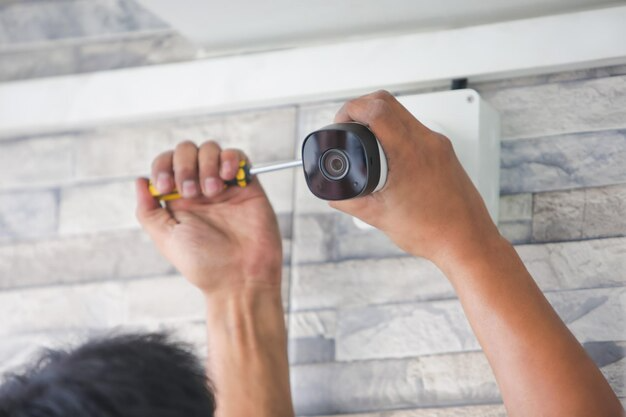
Install and Secure the Cameras
Now comes the hands-on part. During installation:
- Use proper wall anchors
- Secure the screws tightly
- Hide cables where possible
- Double-check camera angles before final tightening
Don’t rush this step. Small adjustments now save big frustration later. Once installed, test each camera individually. Walk through the frame. Check clarity. Make sure faces are recognisable, not just blurry shapes.
Set Up Recording and Alerts
A camera that doesn’t record properly isn’t much help. After installation:
- Set recording schedules
- Adjust motion sensitivity
- Enable mobile alerts
- Test notifications
Too sensitive, and your phone won’t stop buzzing. Not sensitive enough, and you might miss important movement. Spend time finding the right balance.
Secure Your System Digitally
Physical security is only half the story. For IP cameras:
- Update firmware regularly
- Change default passwords
- Use strong Wi-Fi encryption
- Limit access to trusted devices
This step is often ignored, but it’s essential for a truly safe home.
Final Thoughts
A proper security camera installation isn’t about installing the most cameras. It’s about installing the right ones in the right places. Whether you’re using IP cameras for flexibility or dome cameras for discreet coverage, thoughtful planning makes all the difference.
Take your time, test everything, and you’ll end up with a system that gives you confidence, not confusion. A safer home starts with a smarter setup.
FAQs
1. How long does security camera installation take?
Most home setups take 2–4 hours.
2. Are IP cameras good for homes?
Yes, they offer clear video and remote access.
3. Where should dome cameras be installed?
Ceiling corners or covered entry points work best.
4. Do security cameras work without the internet?
They can record locally, but remote viewing needs the internet.
5. Should cameras be installed indoors or outdoors?
Both, depending on what areas you want to monitor.